I forked the PlanetScale Terraform Provider
Disclaimer: I am bullish on PlanetScale. I also have strong opinions about Infrastructure as Code.
Last week, I was excited to see the PlanetScale Terraform provider v1 (LINK) was released and now includes support for their Postgres product! 🎉
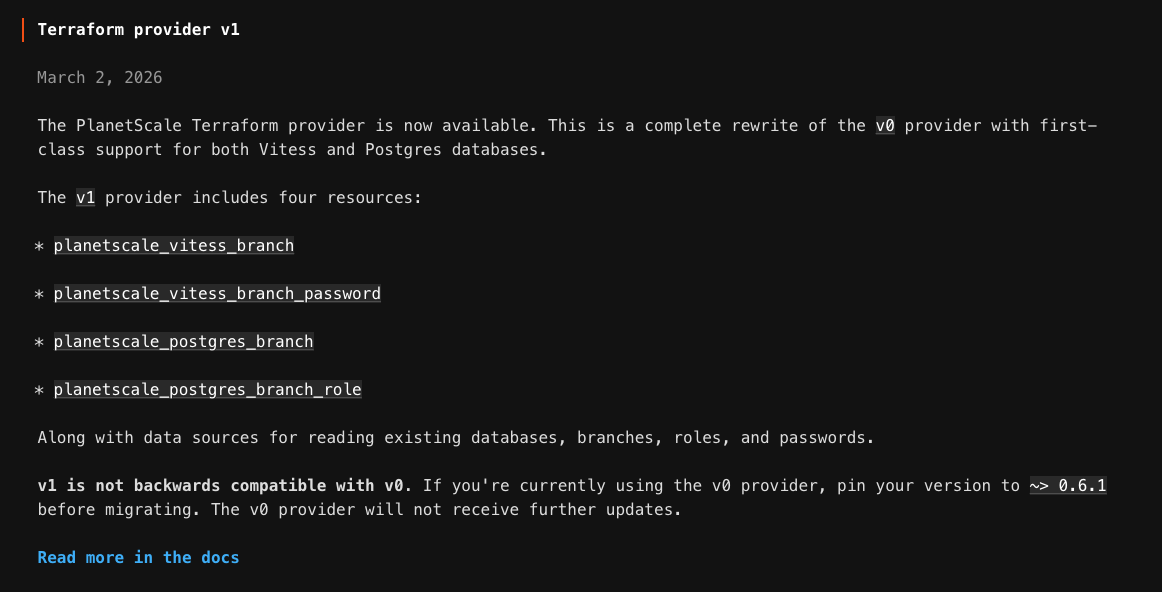
Unfortunately, it only includes resources for managing branches (not the databases themselves). See: https://planetscale.com/docs/terraform#conceptual-model
- Create databases in PlanetScale first (via the PlanetScale UI or API).
- Use Terraform to manage branches and related resources (roles, passwords, etc.) within those databases.
In my opinion, this makes the provider totally unusable. Having to diverge from Infrastructure as Code to click-ops the database and then import the default branch breaks any fully automated workflow and results in a less than ideal solution.
After chatting with some folks from PlanetScale (shoutout to @josh and @Josh 😅) they helped me understand the reasoning behind this design choice:
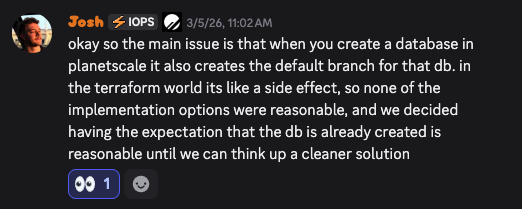
TL;DR: The PlanetScale data model and lifecycle for databases and branches doesn't map cleanly onto the Terraform resource model and they didn't want to lock in an approach until they were confident it was the right one.
Challenges
There are three main challenges with how PlanetScale databases/branches behave when designing the Terraform provider:
- A default branch is auto-created when a database is created
- A database cannot exist without at least one branch
- The default branch can be modified after creation
For the sake of this article I will use postgres for all examples. Analogous resources would exist for PlanetScale vitess databases/branches.
Together, these raise questions about how to design the Terraform provider:
- Who owns the default branch in Terraform?
- How is the auto-created branch adopted without import?
- How is a change in default branch represented?
- What should happen during terraform destroy?
A naive implementation would either lead to resource contention between the database and branch resources or require a two-step create-then-import process for the default branch.
Prior Art
To understand how to best approach this, I looked at existing Terraform providers that face similar challenges.
The AWS, GitHub , and Kubernetes providers contain a handful of resources which must account for pre-existing and default lifecycle behaviors:
- aws_default_vpc and aws_default_subnet: These resources have different behaviors depending if the defaults they represent exist within AWS. If they do not exist, Terraform creates them, but if they do exist, Terraform adopts them.
- github_branch_default: This resource models the default branch as its own terraform resource which acts as a pointer to the repo/branch.
- kubernetes_default_service_account_v1: The default service account for each namespace is always created by kubernetes, so this resource is always used to adopt/manage that service account (e.g. to add labels/annotations)
User Stories
To capture my goals I came up with the following user stories:
- As a Terraform user, I want to manage PlanetScale database resources directly, not just branches, so that I can model the full database lifecycle in Terraform.
- As a Terraform user, I want to manage a database’s default branch properties without a separate two-step import workflow, so that I can bring new and existing databases under management more smoothly.
- As a Terraform user, I want to change a database’s default branch with clear, predictable lifecycle behavior, so that repointing the default branch works cleanly during apply and does not create confusing destroy or drift semantics.
- As a Terraform user, I want terraform destroy to cleanly remove both database and branch resources, so that ephemeral environments can be created and torn down without manual cleanup.
My Solution
I decided to fork the provider repo and experiment with implementing a proposed solution. Here is what I ended up with: PULL REQUEST
- ADD
planetscale_database_postgres - ADD
planetscale_database_default_branch - MODIFY
planetscale_postgres_branch- New field:
adopt_if_exists (default false)so Terraform can adopt a pre-existing branch instead of failing creation, which is especially useful for auto-created branches like main. - New field:
on_default_deleteto define behavior when a branch being destroyed is still the database’s current default branch:
-error (default): fail with an actionable message explaining that the default branch must be repointed first
-remove_from_state: if the API refuses deletion because the branch is still the default, Terraform removes the branch from state and continues
- New field:
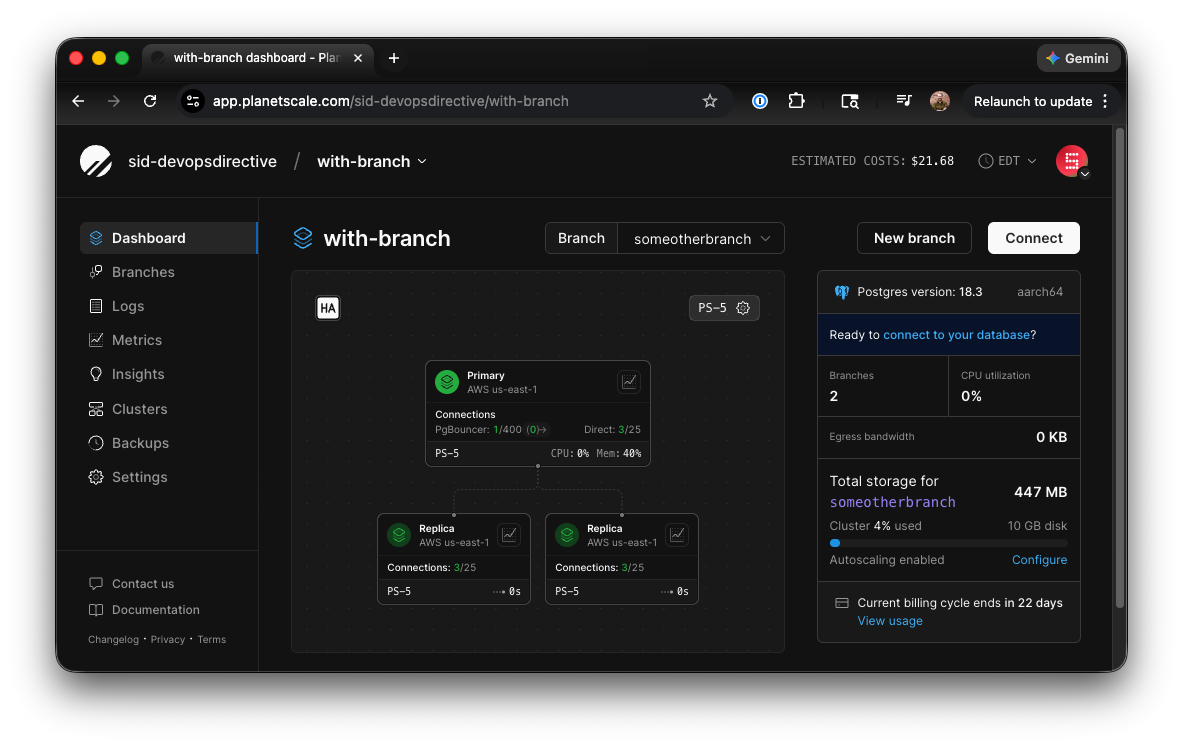
Together, these enable all of the desired user stories and I was able to use the modified provider to:
- Provision a new database, adopt the default branch, create a new branch, and modify the default branch to point to that new branch in a single apply command
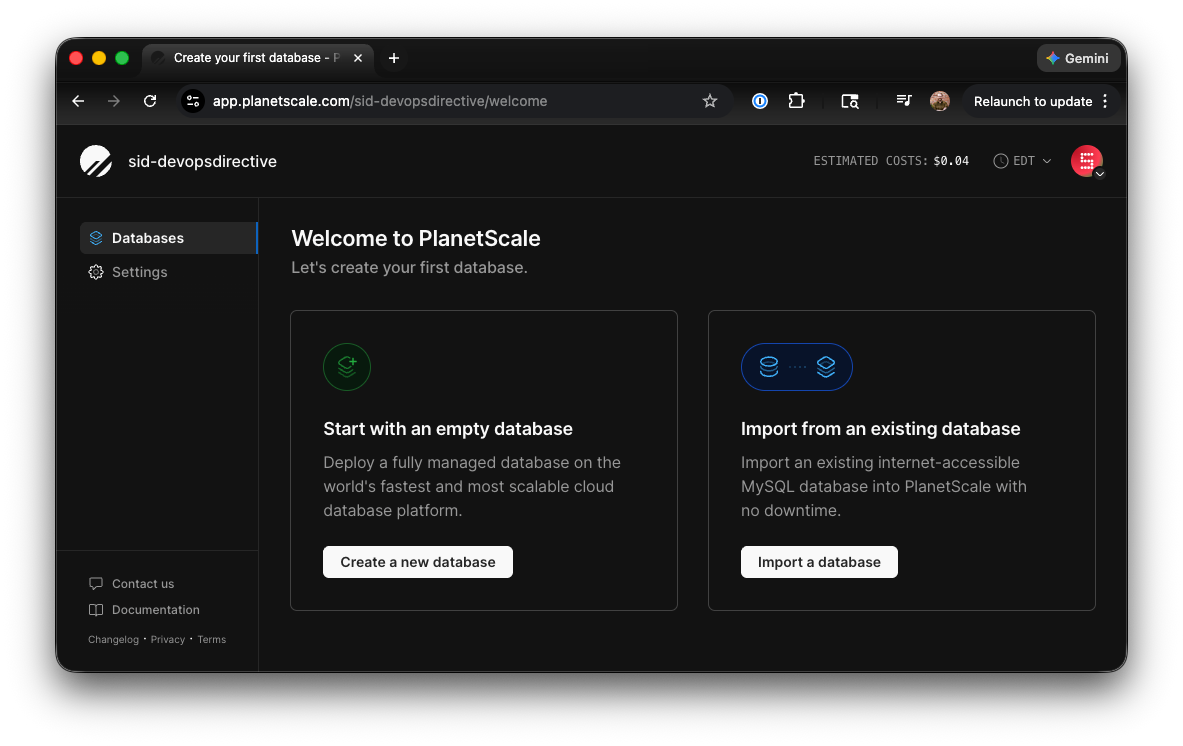
- Cleanly tear down all of those resources with a single destroy command
Here is my config:
terraform {
  required_providers {
    planetscale = {
      source  = "sidpalas/planetscale"
      version = "1.1.0-postgres-db"
    }
  }
}

provider "planetscale" {

}

resource "planetscale_database_postgres" "db" {
  organization = "sid-devopsdirective"
  name         = "with-branch"
  cluster_size = "PS_5_AWS_ARM"
}

resource "planetscale_postgres_branch" "main" {
  organization      = "sid-devopsdirective"
  database          = planetscale_database_postgres.db.id
  name              = "main"
  cluster_size      = "PS_5_AWS_ARM"
  adopt_if_exists   = true
}

resource "planetscale_postgres_branch" "someotherbranch" {
  organization      = "sid-devopsdirective"
  database          = planetscale_database_postgres.db.id
  name              = "someotherbranch"
  cluster_size      = "PS_5_AWS_ARM"
  on_default_delete = "remove_from_state"
}

resource "planetscale_database_default_branch" "this" {
  organization = "sid-devopsdirective"
  database     = planetscale_database_postgres.db.id
  branch       = planetscale_postgres_branch.someotherbranch.name
}
terraform apply 🚀
$ terraform apply

...

Plan: 4 to add, 0 to change, 0 to destroy.

Do you want to perform these actions?
  Terraform will perform the actions described above.
  Only 'yes' will be accepted to approve.

  Enter a value: yes

planetscale_database_postgres.db: Creating...
planetscale_database_postgres.db: Still creating... [00m10s elapsed]
...
planetscale_database_postgres.db: Still creating... [01m50s elapsed]
planetscale_database_postgres.db: Creation complete after 1m51s [id=p4wvn79boc9j]
planetscale_postgres_branch.someotherbranch: Creating...
planetscale_postgres_branch.main: Creating...
planetscale_postgres_branch.main: Creation complete after 3s [id=2bqz7zmvhm33]
planetscale_postgres_branch.someotherbranch: Still creating... [00m10s elapsed]
...
planetscale_postgres_branch.someotherbranch: Still creating... [02m10s elapsed]
planetscale_postgres_branch.someotherbranch: Creation complete after 2m20s [id=xgi6gwxpmafo]
planetscale_database_default_branch.this: Creating...
planetscale_database_default_branch.this: Creation complete after 0s [id=p4wvn79boc9j]
╷
│ Warning: existing branch adopted
│
│   with planetscale_postgres_branch.main,
│   on main.tf line 21, in resource "planetscale_postgres_branch" "main":
│   21: resource "planetscale_postgres_branch" "main" {
│
│ The PostgreSQL branch already exists and was adopted because adopt_if_exists is true.
╵

Apply complete! Resources: 4 added, 0 changed, 0 destroyed.
terraform destroy 🧨
terraform destroy

...

Plan: 0 to add, 0 to change, 4 to destroy.

Do you really want to destroy all resources?
  Terraform will destroy all your managed infrastructure, as shown above.
  There is no undo. Only 'yes' will be accepted to confirm.

  Enter a value: yes

planetscale_database_default_branch.this: Destroying... [id=p4wvn79boc9j]
planetscale_postgres_branch.main: Destroying... [id=2bqz7zmvhm33]
planetscale_database_default_branch.this: Destruction complete after 0s
planetscale_postgres_branch.someotherbranch: Destroying... [id=xgi6gwxpmafo]
planetscale_postgres_branch.someotherbranch: Destruction complete after 0s
planetscale_postgres_branch.main: Destruction complete after 1s
planetscale_database_postgres.db: Destroying... [id=p4wvn79boc9j]
planetscale_database_postgres.db: Destruction complete after 0s
╷
│ Warning: default branch not deleted remotely
│
│ The branch is currently the database default branch and cannot be deleted by PlanetScale. The resource was
│ removed from Terraform state because on_default_delete is set to remove_from_state.
╵

Destroy complete! Resources: 4 destroyed.
Limitations
There are some important limitations in the current implementation:
- This provider is generated from the OpenAPI API specification using Speakeasy, but
adopt_if_existspluson_default_deleteare currently implemented as manual edits in generated code ininternal/provider/postgresbranch_resource.go. As a result, regenerating the provider will overwrite those changes. - The current solution only covers
PostgreSQLresources. Equivalent lifecycle support would need to be added forVitessdatabases and branches. - This implementation was produced largely with OpenCode and GPT-assisted development. It should be treated as a prototype and should receive additional engineering review, testing, and validation before being considered production-ready.
- (Unrelated to the specific challenges addressed here) Modifying the cluster configuration (e.g. # of replicas) for the database currently forces it to be recreated. This behavior is different from the PlanetScale UI where the cluster configuration can be modified in-place, but appears to be a limitation of the public API (based on the OpenAPI spec).
Input Requested! 🙏
The PlanetScale team wants to get to a clean long-term solution here, but wanted to avoid locking in a pattern they would eventually come to regret! My goal with the fork + article was to help make progress towards such a solution!
If you have experience working with PlanetScale and using (or authoring) Terraform providers, I’d love your input on the lifecycle tradeoffs discussed here, especially around default branch management, adoption of pre-existing resources, and destroy behavior for ephemeral environments.
Please share your feedback, edge cases, or preferred UX on the GitHub issue: https://github.com/planetscale/terraform-provider-planetscale/issues/260
I published my version of the provider here if you want to take a look and experiment with its ergonomics! https://registry.terraform.io/providers/sidpalas/planetscale/latest
The source for my fork can be seen here: https://github.com/sidpalas/terraform-provider-planetscale